Fixing thousands of Amazon listings before Black Friday? Set a confidence bar for each field in the Enrichment Queue: automate the obvious, review what matters.

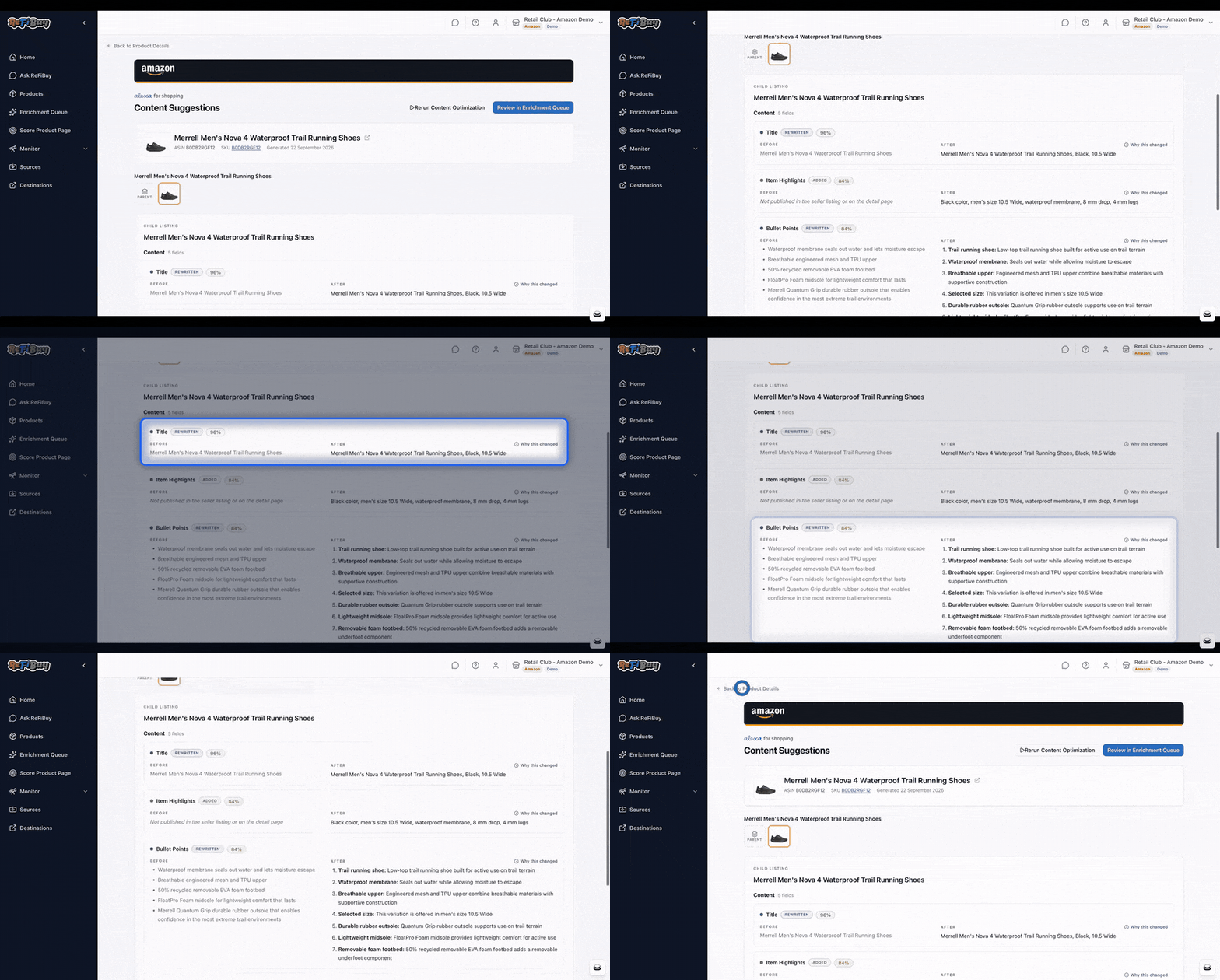
This how-to is part of All Eyes on Amazon, our two-week series on getting your listings ready for Alexa for Shopping before Black Friday. Last week we launched Enrich in ReFiBuy for Amazon: agents that suggest better titles, bullets and attributes, each with a Confidence Score. Run them across a large catalog and you can have thousands of suggestions waiting. Here's how to clear them without reviewing every one by hand. (For why we built it, see our introduction to Enrichment Queue Automation.)
How the confidence bar works
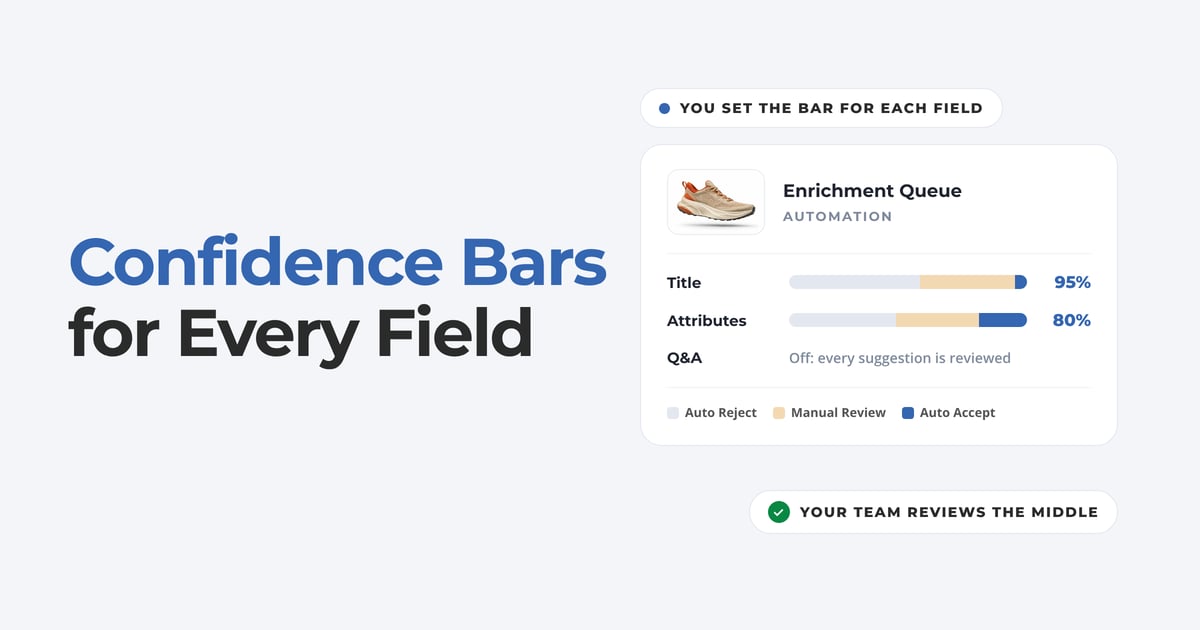
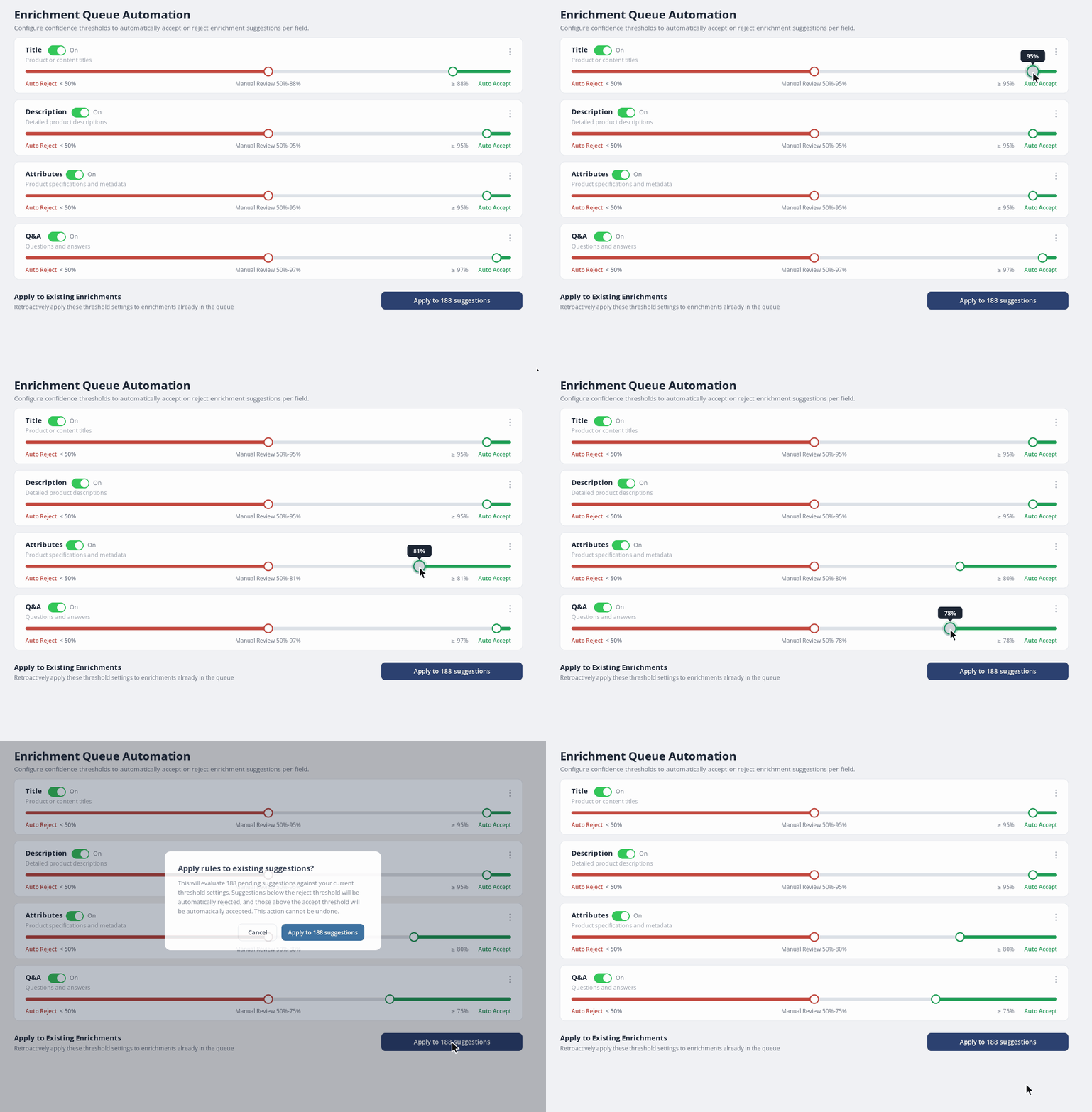
Each field gets one slider with two thresholds and three zones:
- Auto Accept: suggestions above the high threshold are accepted.
- Manual Review: suggestions between the two thresholds wait for a person.
- Auto Reject: suggestions below the low threshold are rejected.
The middle band is the point. It's where the agent is less sure, and where your team's judgment changes the outcome.
Set it up in five steps
Step 1
Open Automation
- Go to the Enrichment Queue and click Automation.
- You'll see a slider for each field: Title, Description, Attributes and Q&A.
Step 2
Turn on the fields you want to automate
- Each field has its own On/Off toggle. Leave a field off and every suggestion for it comes to your team.
- A good place to start is one field you already review the same way every time.
Step 3
Set the high and low bars
- Drag the two handles on each slider. Higher stakes deserve a higher bar.
- By default, titles auto-accept only at 95% confidence or above, and attributes at 80%. A title is what the shopper reads first, so it gets the stricter bar.
Step 4
Check the impact before you commit
- Click Apply to Existing Enrichments to run your settings against the suggestions already in the queue.
- It shows how many suggestions will be affected before anything changes, so you can adjust the bars first.
Step 5
Let new suggestions sort themselves
- Once saved, your bars apply to every new suggestion automatically.
- Confident fixes resolve on each enrichment run, so the queue stops refilling faster than your team can keep up.
What it does and doesn't do
- A person sets every threshold. Automation applies your rules exactly as set and doesn't adjust them on its own.
- It acts only on suggestions in the Enrichment Queue. It never changes your published product data directly.
- Every field keeps a Manual Review band, so the uncertain suggestions are never decided automatically.
Start with one product
Not sure where your listings stand? Get your free Amazon Agentic Commerce Optimization (ACO) Report before Black Friday, and we'll show you what Alexa can't read yet and what to fix first. Once your fixes are approved, here's how to get them live on Amazon.